Friday, December 28, 2007

Orkut Profile being added to Google Search

Some orkut profiles will appear in Google search results as an orkut OneBox. A OneBox is a summary of your orkut profile, including key details like your name, photo and location. A OneBox appears only when someone who is logged in to orkut performs a search on Google.com for their friends or friends of friends. Keep in mind that this project is still in its experimental stage, so for now, only a small percentage of orkut users will see the OneBox in their search results.


Wondering what a OneBox Is ??


On top of the organic results (and sometimes at the bottom), Google shows OneBox results for queries that can be answered instantly or when a direct link can be offered.


There are several kinds of OneBox results.Click Here to know more about OneBox Result


You'll have the same privacy settings for the OneBox as you do for your full orkut profile, so no information you've made private in orkut will appear in Google search results. Additionally, if you wish to opt-out of the orkut Onebox altogether, you can do so by following these steps:
  • On the left sidebar of the orkut hompage, click settings.
  • Click the privacy tab.
  • Under orkut in Google search results, click the hide information bubble.
  • Click save changes at the bottom of the page.

Note:
Orkut and the search team both don't have a way to change whose profiles will appear in Google search results as a OneBox.

How to be safe from Scrapbook XSS Bug

I have already posted many posts including incidents in which Scrapbook XSS Bug was used...

here are some posts :

  1. XSS in Scrapbook
  2. XSS Orkut worm
Many Orkut Users became the victim of these attacks..so Now i am posting to tell you how you can be safe from these XSS hacks

  • Firefox Users :

Update Firefox to 2.0.0.11 or higher

The latest series of firefox comes with an inbuilt feature of httpOnly which encrypts your cookies so that the information in the cookie cannot be read. This may result to be a boon for orkut users.You can download the latest version of firefox from >>>HERE<<<

  • Download FlashBlock

For firefox users i would highly recommend that they should Install Flashblock firefox extension!After Installing FlashBlock just restart your browser


Internet Explorer Users :

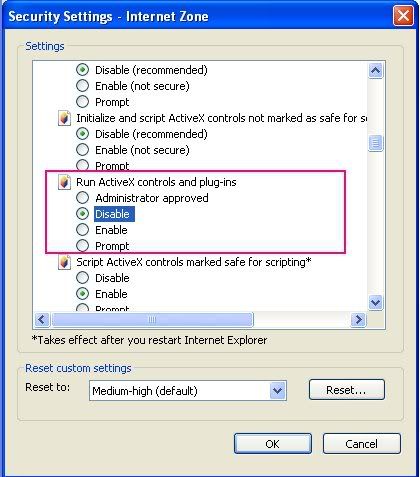
  • Go to the Tools Menu -> Internet Options

  • Click on the Security tab

  • Click on Custom Level

  • Disable Run ActiveX controls and plug-ins


Hope this Helps !!

Regards:-Orkut Underworld

Situation : Joined too Many Communities!


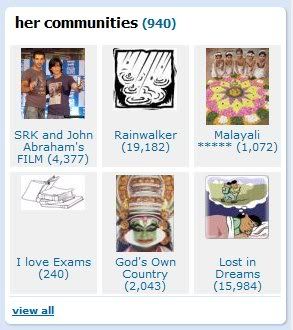
A cool trick found by ORKUT PLUS is to unjoin your communities.Many ppls have joined round about 999 or 900 communities ,which makes them to unjoin later. So a damn cool trick is here to make your work easy.
Solution: We currently do not have a refined software to unjoin selected communities. You can follow following tips to make your work easier.
  • Make a note of the communities you would want to re-join.
  • Use this software (Thanks Gautam) to Unjoin All Communities you presently have - Download
  • Required - .NET 2.0 framework to run the software - Download
  • Now, re-join your noted communities.
  • That is all :o)

REGARDS:-ORKUT PLUS

Orkut Goes After Unethical Profiles - Threatens To Report To Law Authorities!

After the much highlighted XSS debacle, it looks as if orkut has finally decided to take care of unethical minds on orkut. They are now issuing warnings on their homepage.


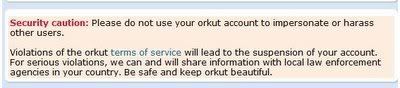
To be exact, these lines are being displayed as a security caution:


Security caution: Please do not use your orkut account to impersonate or harass other users. Violations of the orkut terms of service will lead to the suspension of your account. For serious violations, we can and will share information with local law enforcement agencies in your country. Be safe and keep orkut beautiful.

On a positive note, this was very much required to curb impersonation issues and the fact that official warnings make the work much easier.

REGARDS:-ORKUT PLUS

Monday, December 24, 2007

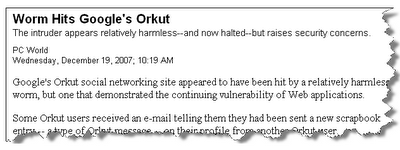
Of the Latest Orkut Worm, Rodrigo Lacerda and 400,000 Members Joining One Community within 12 Hours of its Creation


NO WE ARE NOT JOKING !!!


Screenshot - WashingtonPost


A Quick introduction to the Post:

  • Something was wrong on orkut
  • Some members complained of joining a community which they did not do manually.
  • Members were unable to un-join the community.
  • Surprisingly, the community featured 400,000 members in 12 hours of it's creation

Note: The so called 'worm' was harmless, but it it raised serious questions on orkut security features.
How Did it all happen?

You read about our warning, an XSS in the scrapbook. Evil minds used this for unethical purposes, but one mind thought the other way. He used this flaw to create a history, turning orkut upside down and leaving them puzzled for sometime.


What Was in His Mind?


Rodrigo Narrates, August 8, 2006 he came to know about an XSS but at that point of time he didn't have perfect programming skills to exploit the hole. He says, at that time he wanted to hack as many communities and profiles as he could on orkut. The hole was fixed soon.

December 19, 2007 , he came across a similar XSS and this time he had proper programming skills to do what ever he wanted to. But his state of mind was a bit different this time. His attempt was not to hack or hurt anyone but wanted to show how destructive this can be if used for evil purposes. He created a fake community -Infectados pelo VĂ­rus do Orkut which has hit the headlines everywhere.


SCREENSHOT OF NO OF MEMBERS


12 Hours, and the Community with 400,000 Members - How Did He Do It?

  • Member Received a Scrap
  • That scrap had an embed code.
  • That code embed a JavaScript, which was decompressed twice.
  • The JavaScript performed following functions:

-> It Automatically Joins a Member to a specific community

-> Member unknowingly sends scrap all to all his friends - with that code embed

-> Scrap is then deleted automatically.

-> So all his friends would do the same and thus, it was a fire spreading rapidly.

-> This came to a halt, when orkut finally fixed the XSS.

REGARDS:-ORKUT PLUS

Monday, December 17, 2007

Enable HTML in Communities

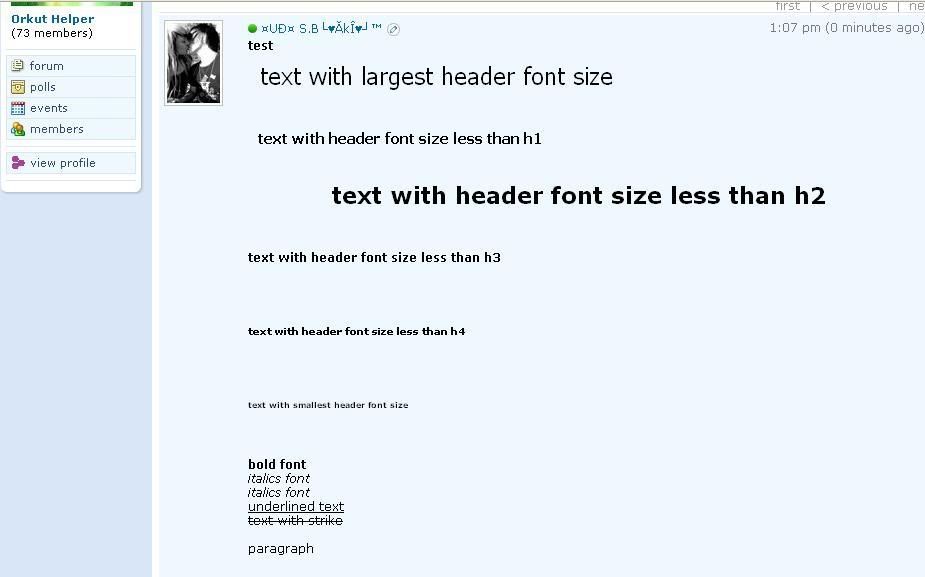
This greasemonkey script Enable HTML in communities was developed by Mr. Nobody.
A simple script to enable HTML in Orkut communities.


How to Use This Script ?


That is all :0)

Find Your Gmail Friends On Orkut

Orkut Recently released there new feature through which you can add your Gmail friends as Orkut friends.. :)


This is one of the most awaited feature of Orkut..Many other Social Networking Sites had this feature...They used this to invite more people to there site. Now Orkut have also introduced this great feature..All the Google Talk users would be loving his feature as they can now invite or add there Google Talk friends on Orkut.

Everyone Knows that finding a profile on Orkut is very difficult. This feature makes this task easier for Orkut users.

Orkut Officials say about it :

One of the nice things about Gmail is that it adds the names of the people you have been in touch with over the years as contacts in your address book. Wouldn't it be nice if you could automatically find those contacts on orkut? We've started rolling out a new feature to do just that. If you use a gmail address to log into orkut, finding your friends is now just a click away. The find friends button on the homepage, friends page or friends list page gets you started on importing contacts. Your gmail address is already filled in, and since you've already logged into orkut, we don't have to ask for your Gmail password once again. We'll show you the contacts who are already on orkut, and let you choose which ones to add as friends. For contacts who aren't on orkut yet, we make it easy to choose the ones you want to invite to orkut. You can even add a personal message to send with the invite. Soon, we'll be adding support to import your contacts from other email accounts.

Well i feel sorry for the people who don't use Gmail Login, or have a different login for Orkut as they would not be able to use this feature. This feature is only available for Gmail as Orkut do not import address book at this time.

Note : Gmail does import address Book.

so you can use gmail to import address bookNow all those People who have a Gmail email address would see the above find friends feature on there Homepage. If Not you can go here :http://www.orkut.com/FindFriends.aspx

Once you go to the page it would look like this :


Regards:-Orkut Underworld

New feature in Orkut. Upload multiple photos !!!

The upload control provides fast and easy uploads of multiple photos. Click on the yellow Information bar above (if it appears) and select ...